YOUR RECORDED CHOICES
Carry these forward.
Identity and actions
- The full Wholeverb logo and its original lettering, with transparent background. Full logo, symbol and wordmark can fit appropriate placements.
- The selected puzzle primary button, approved compact phone sizes and text link 02 with its small arrow.
- The puzzle message is things connecting. New puzzle pieces preserve the actual logo-piece outline. Material and construction choices stay open.
Working foundation
- DM Sans for surrounding page text. Original logo and puzzle-action lettering remain.
- Continuous lighter cream, #fcfbf7, with no light-page hero glow. White raised objects and pale inset details.
- Open sections, quiet 16px object corners and subtle depth. Selected phone heading/body sizes.
- Turquoise, orange and midnight anchors, plus the selected readable text, link, focus and labeled status colors.
See the selected color jobsThe 01/02 artwork preference is withdrawn. Both new concepts and their service-context image remain paused for Chapter 5. Older scoped selections remain recorded.
See the foundation together
The preview combines the separately selected inputs. Its wider spacing and desktop scale remain study settings to reconcile in Chapter 3. Seeing this preview does not approve those additional settings.
EXISTING DEEP STUDIES
What the references teach us.
Gumloop
Quiet surrounding surfaces let populated interfaces carry the detail. The deep study includes headings, responsive layouts and changing demo states.
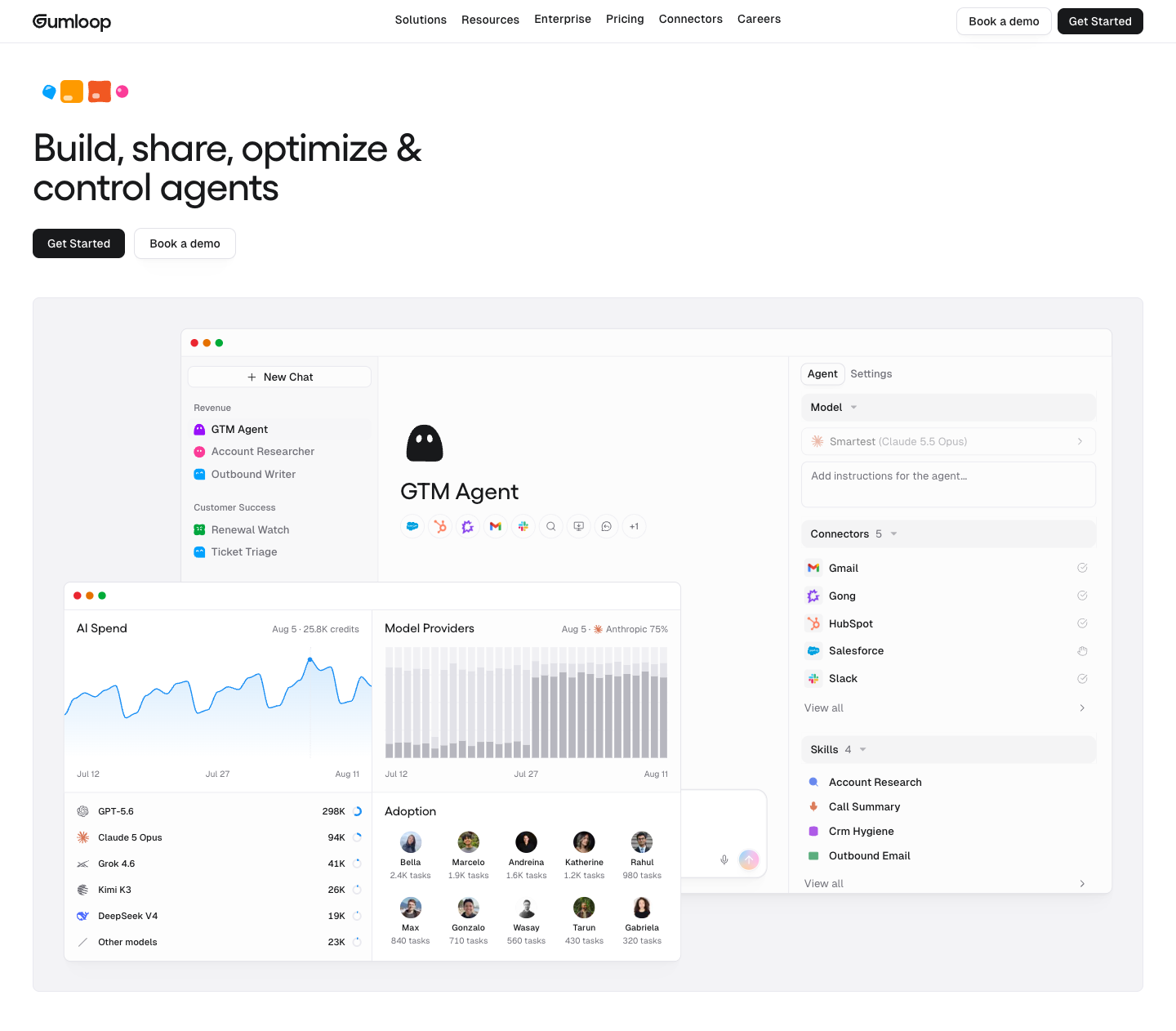
Captured October 2. Public Home evidence, not private account behavior.
Read the reviewed source DESIGN.mdbakedwith
Each process step has a different concrete visual. Related pale surfaces keep the section coherent, while the objects explain the work.
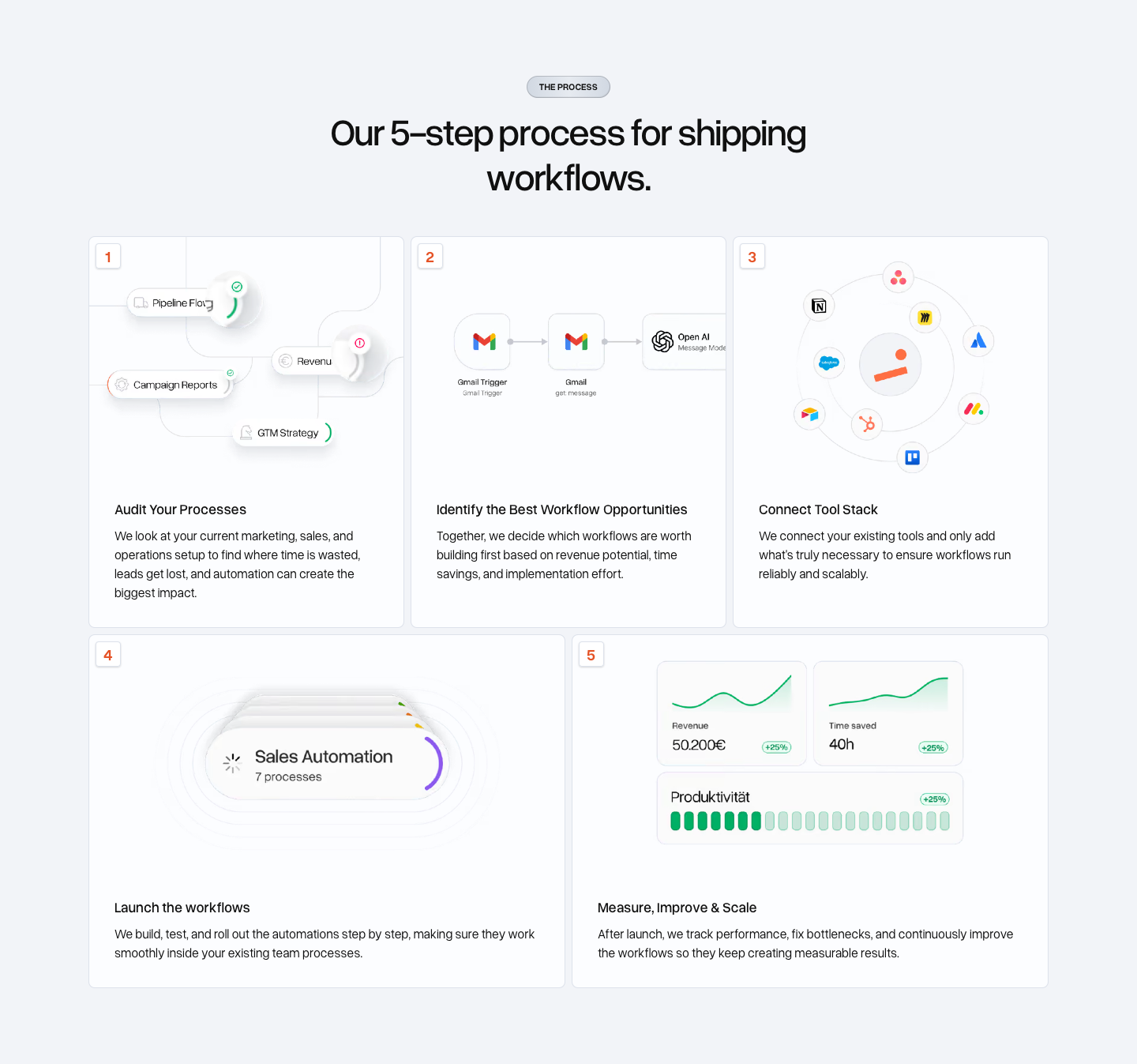
Captured October 3. Process section only; it does not establish a complete brand or motion system.
Inspect the process evidenceThe extractor comparison
The automatic Gumloop export missed Gellix headings and reported a desktop-sized hero action for the phone. Saved checks measured 113.22px on computer and 338px on phone. The reviewed summary restores the role-linked rules from the deep evidence.
Our chosen method remains: source DESIGN.md inside deep extraction, with links to the detailed evidence. Capture missing accessible evidence before calling the extraction complete. No extra extractor or brand skill is required for this workflow.
Source DESIGN.md explains a reference. Wholeverb DESIGN.md records our own decisions as the chapters develop. A required behavior absent from a public reference still needs its own Wholeverb design and test.
USEFUL STARTING MATERIAL
We have substantial work to assess.
The accepted page
Navigation, service discovery, work gallery, process responsibilities, FAQ and local project-request flow already exist. It also has populated service illustrations and enquiry, booking, follow-up, handover, shared-record and care examples.
These local examples are simulations. The project request is an unsent draft. Production connections belong to later implementation.
Open the accepted baselineArtwork, motion and proof
Four original service-motion runtimes and older scoped puzzle targets exist. Their final visual approval, phone readability and in-page performance remain work.
Alum is a website build; flooring is a prototype; GCC is a live community platform; Summer Program OS is a seeded internal demo. Public proof permission and outcome claims remain separate.
Native Safari showed the baseline opening. Its task panel needs a native recheck; the held follow-up example rendered in isolated WebKit. We have not called that a diagnosed source defect.
FOUR AREAS / THEIR OWNING CHAPTERS
Here is the remaining development.
Visual language
Brief: Chapter 2
Development: Chapter 3
Logo placement, clear space and minimum readable size. Complete type/spacing/density rules and background application. Test the selected foundations across prominent actions, dense information and illustrations on computer and phone.
Components
Brief: Chapter 2
Development: Chapter 4
Identify the controls needed by actual visitor paths. Develop their anatomy, realistic content variants and applicable focus, loading, disabled, success and error states. Establish reusable keyboard, touch and phone behavior.
Artwork and demos
Brief: Chapter 2
Development: Chapter 5
Give each required asset a specific explanation and placement. Assess existing assets before replacing them. Choose puzzle constructions and materials there; make faithful editable sources, phone compositions and truthful live/simulated/recorded labels. Resolve rights for used proof.
Motion
Brief: Chapter 2
Development: Chapter 6
Define useful triggers and state changes, timing, repeat/reset and interruption. Develop phone behavior, pause/resume, offscreen/background behavior and reduced-motion alternatives. Check performance in the actual placement.
Chapter 7 tests these together in contrasting sections. Chapter 8 prepares and builds the complete page. Neither is complete from a foundation sample or a still image.
The business brief already exists.
The approved agreement and content plan establish the audience, service boundaries, page jobs and visitor paths. Chapter 2 will create the development brief: what to make, why each family is needed, which existing inputs it uses and how we will judge it finished.
We do not need another business discovery interview or artwork for every possible category. Required work will come from the approved visitor needs and the gaps above.
OWNER APPROVED / OCTOBER 5, 2026
Chapter 1 is complete.
Your instruction: “Mark chapter one complete.” The starting inventory and development gaps are reconciled.
Next is Chapter 2: agree what each area needs to produce and how we judge it finished. Its detailed checklist is prepared; the development brief has not started.
Progress: 1 of 8 chapters complete. The recorded selections carry forward; later design work remains open.
