
Bring the details
only you know.
- Your services and the area you cover
- Your domain and relevant account access
- Existing logos, photos and useful content
- Your current tools and any import sources
- One person to review the website preview
How it works
We prepare the website and customer system. You review the details before anything goes live. Then the work continues.

We prepare.
You review before
anything goes live.
The four steps
Tell us about your business, services and what the website needs to do.
Begin with basic contact details. We review the fit and capacity before taking payment. In the planned service flow, your first payment starts setup and guided intake follows.
Business and services · Location or service area · Existing website and tools
Wholeverb prepares the website and customer system around the way your business works.
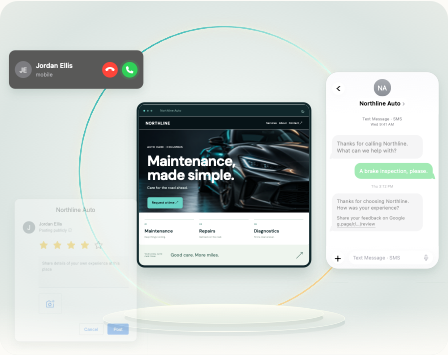
We review your material, prepare the website and start the core communications setup. Staff responsibilities, records and useful follow-up are agreed around the actual work. Existing software can stay alongside the setup.
Website preparation · Core communications · Wholeverb review
You see the website, check the details and approve it before publication.
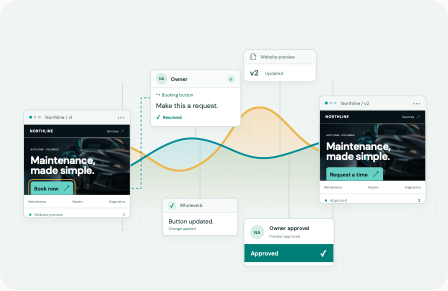
Bring corrections into the preview, then review the changes. Your approval comes before the website goes live. Campaign messaging receives its own customer review before activation.
Preview · Revisions · Your approval
Launch after approval and testing, then keep the website and customer journey useful.
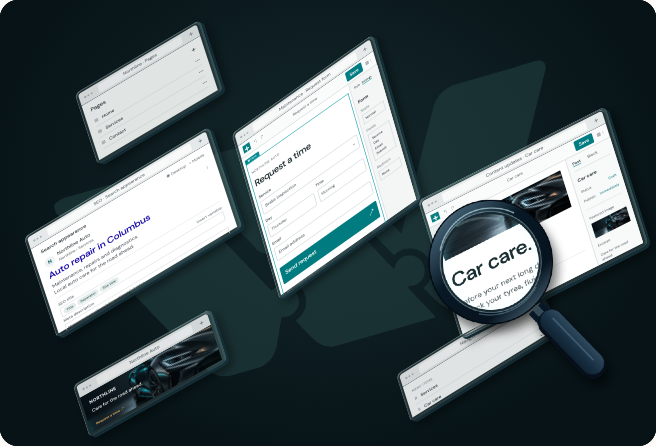
The first live month starts when the website and core calling, texting and follow-up work and have been tested. The second payment is one month after that milestone. Optional scheduling or payment activation does not hold up that start.
Tested launch · Ongoing website care · Useful improvements
One package
One location or mobile operation, including your staff. Your first payment starts setup. Your first live month starts after the website and core communications work and have been tested.
See the package and billing detailsYour business details, service area, services, current website and domain information are useful. Bring existing logos, photos and content if available, and name the person who will review the preview. Detailed intake follows setup in the planned service flow.
We review what is available and identify the next useful step. Missing business details, domain access or approvals can affect readiness. No automatic launch date is promised before those dependencies are understood.
Yes. The preview is for checking the presentation and business details. Wholeverb reviews revisions with you, and customer approval comes before publication.
Core calling, texting and follow-up must work and be tested before the live month begins. Registration and access dependencies are reviewed during setup. The second payment follows one month after the tested launch milestone.
No. Existing software can remain in use. Manual coexistence is an initial option. Imports go through field matching, duplicate checks and review. Bespoke integration with every tool is outside the initial scope.
No. Keep an external calendar, have staff book manually or activate online booking when useful. Optional scheduling and payment capability are separate from the tested website and core communications milestone.
Website edits, new pages, layout changes, useful search improvements and care continue within the planned package. Changes are reviewed before publication. In-app support with calls when needed is the intended support direction; no response-time guarantee is stated.
No. The local Get Started page lets you prepare and review contact details. Account creation, payment and actual delivery are not activated in this local website preview.
Bring your services, your current setup and what you need the website to do.